
The Revels Light & Value Method
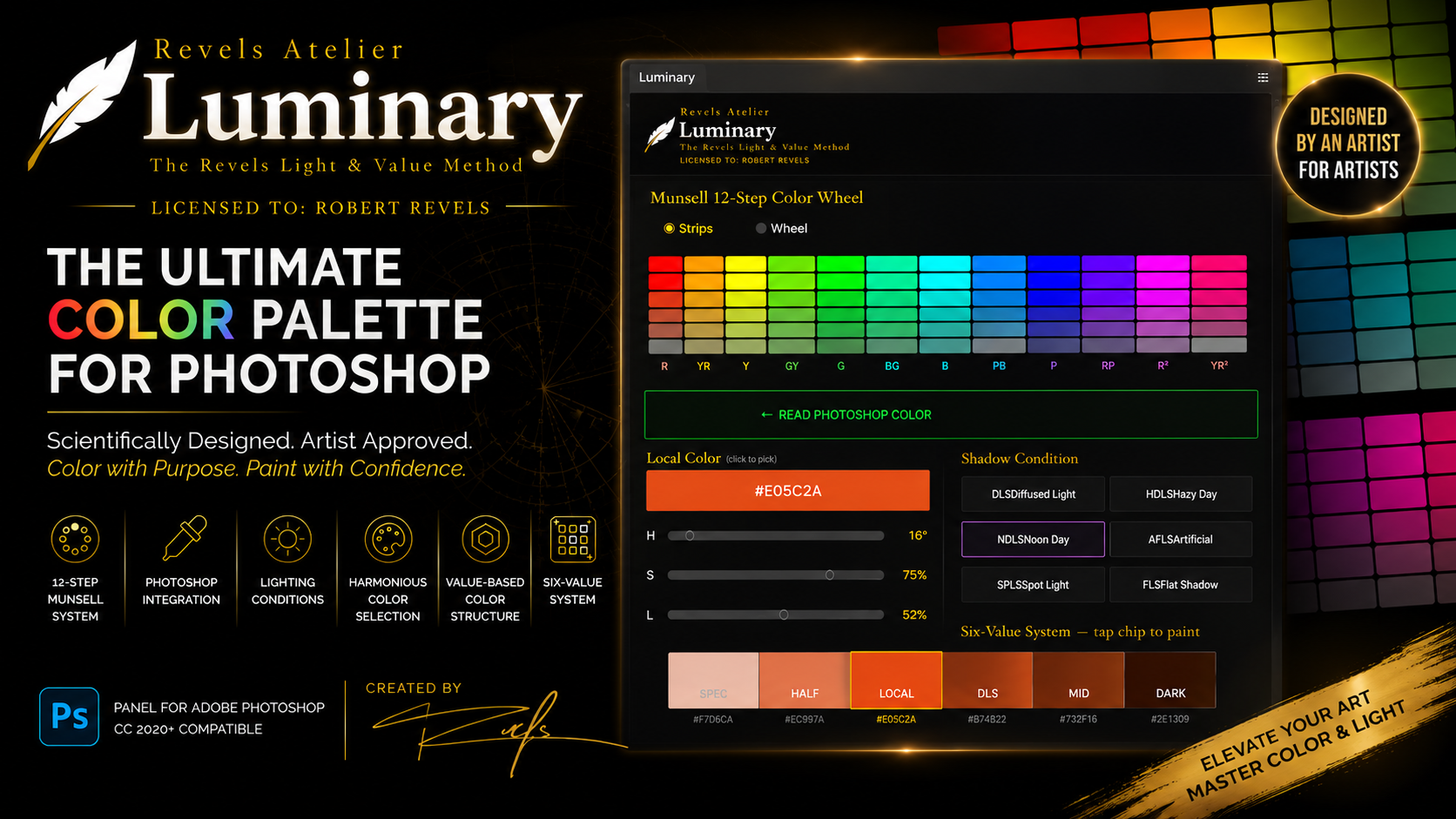
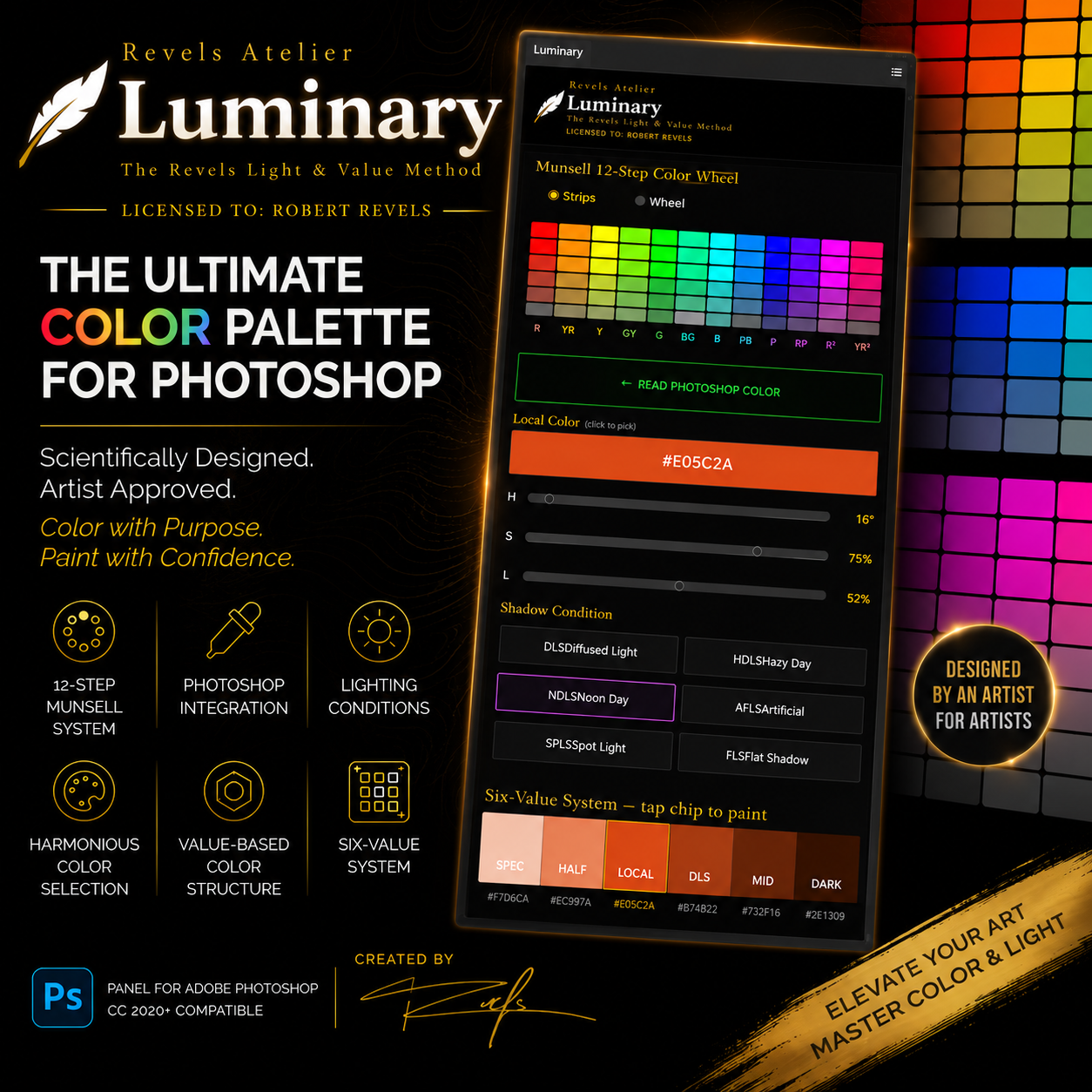
Luminary calculates your entire six-value range — from specular highlight to deep shadow — from any color, in any lighting condition. One click. Paint immediately.

You know what the shadow should look like. Getting there costs you time you don't have.
Mid-painting, you stop. You eyeball the shadow. You mix something. It's close — but it pulls the value structure just enough to cost you another 20 minutes correcting it later.
The value system isn't complicated. The math behind it is. Figuring out where your local color sits on the value scale, how much your lighting condition shifts the anchor, what temperature your shadow takes on when warm light hits cool atmosphere — that's the part that slows you down.
Luminary runs those calculations in real time. You stay in the painting.
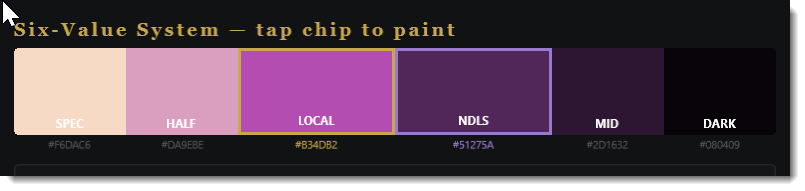
Your full six-value strip. From any color. In any light.
Luminary is a Photoshop panel plugin built on The Revels Light & Value Method Robert Revels has taught at Academy of Art University for 25 years — and used in his own work across traditional and digital media.
The Six Values:
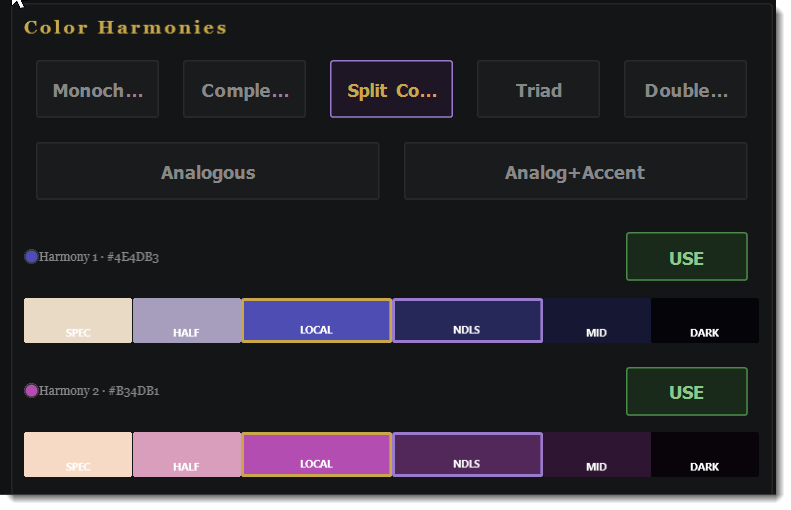
SPEC — Specular highlight
HALF — Half light
LOCAL — Your base color
SHADOW — Anchored to your lighting condition
MID — Mid shadow
DARK — Deep shadow
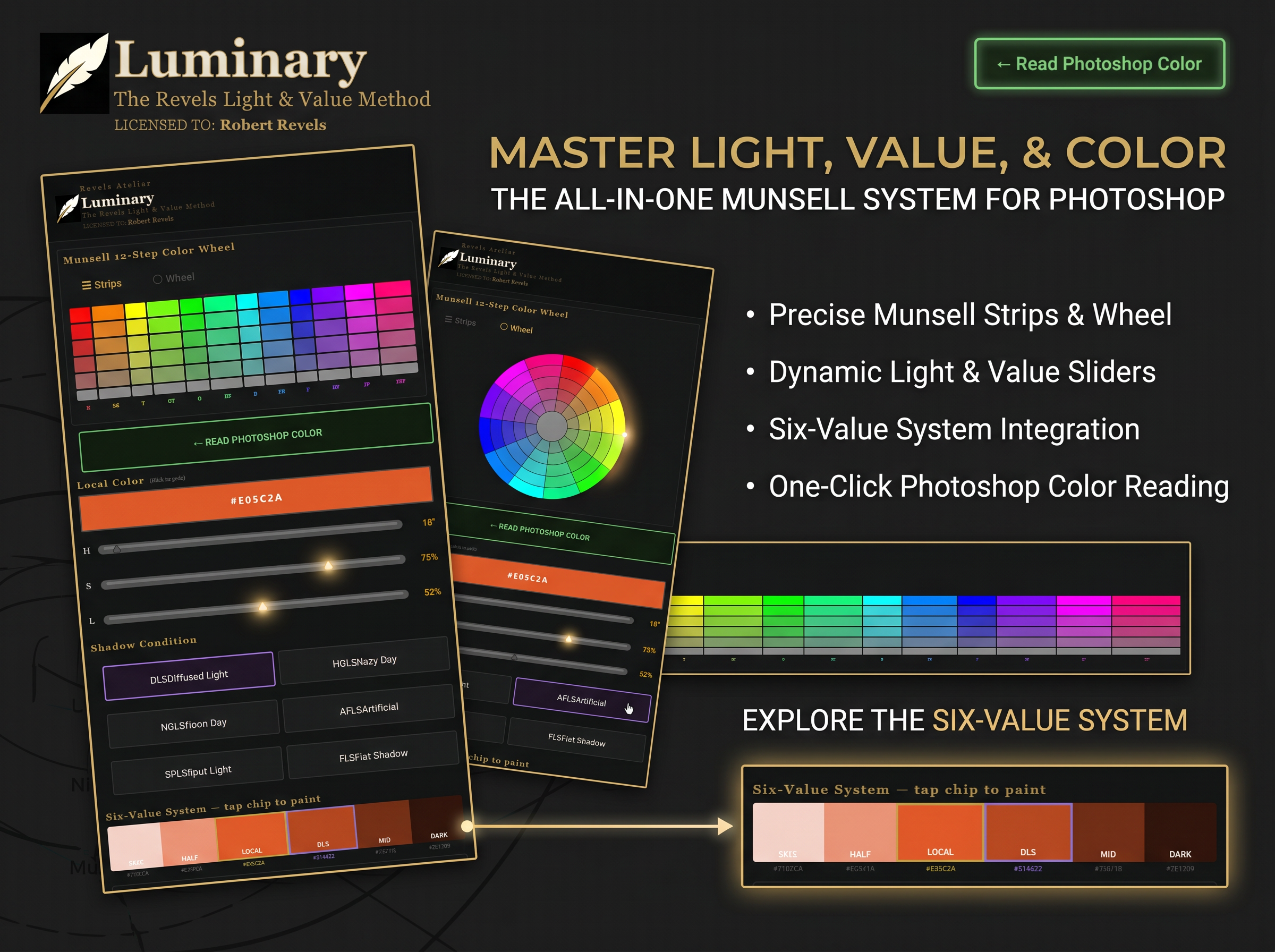
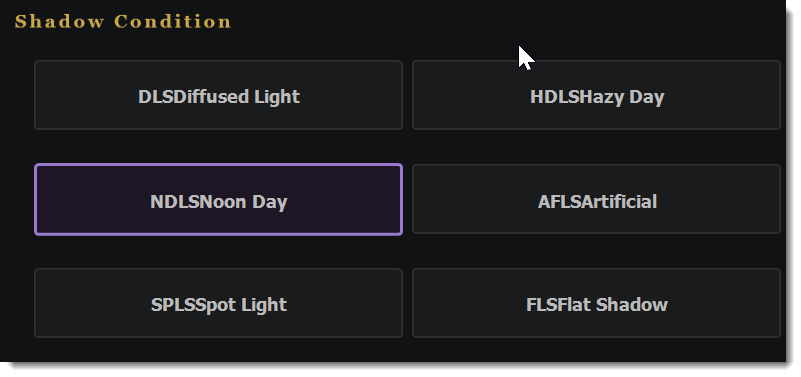
Select your lighting condition — Flat Shadow, Spot Light, Artificial Light, Noon Day, Hazy Day, or Diffused Light — and the entire strip recalculates instantly.
Tap any value to set it as your Photoshop foreground color. Paint. Come back and pick the next one.
Everything you need. Nothing you don't.
Read your PS color directly — No copy-pasting hex codes. Luminary reads your Photoshop foreground color with one button.
6 Lighting Conditions — FLS · SPLS · AFLS · NDLS · HDLS · DLS. Each one shifts the shadow anchor differently. Pick the light you're painting under.
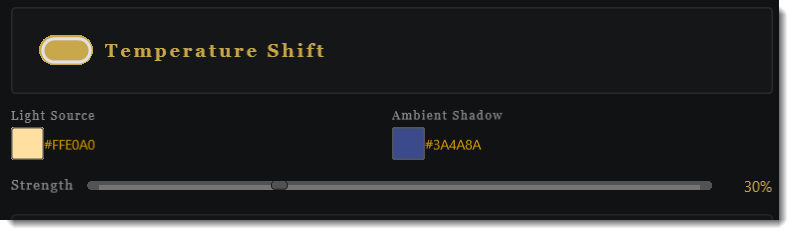
Temperature Shift — Warm light source. Cool ambient shadow. Dial in the strength. The entire value range shifts with atmospheric color — the way light actually works.
Color Harmony Engine — Complementary, Split Comp, Triad, Double Comp, Analogous, Analog+Accent. Each harmony generates its own full six-value strip, ready to paint.
Munsell 12-Step Color Wheel — Pick any hue directly from the wheel. Strips or circular view. Synced to your HSL sliders.
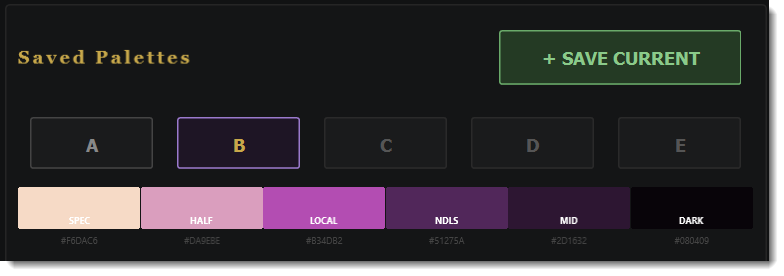
Saved Palettes A–E — Store up to 5 complete palettes mid-session. Recall them instantly.
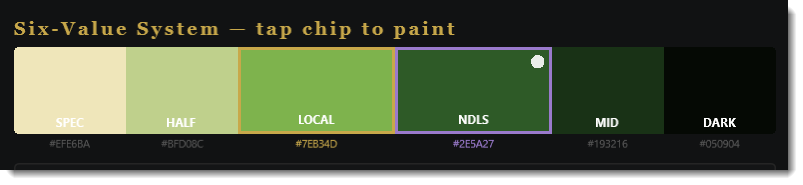
Dot Marker — A visual marker shows exactly which value you last selected. Dark dot on light values, white dot on dark values. Always know where you are.
Built for painters who take value seriously.
This is not a beginner tool. Luminary is for artists who already understand the value system and want to move faster — not learn it for the first time.
If you're a concept artist, grinding through color passes. If you're an illustrator who needs a clean value structure without stopping to think. If you're a student who learned the theory and wants to practice with the right tool. If you're a professional who knows what a six-value strip is and has been doing it manually for years, Luminary is for you.
One purchase. Everything you need to start painting with it today.
Luminary Plugin The Photoshop UXP panel — zip file with complete install folder and step-by-step install guide. Works with Photoshop 2023 and later on Mac and Windows.
The Revels Light & Value Method — PDF Guide The method behind the tool. How the six-value structure works, how lighting conditions shift the shadow anchor, and how to use Luminary in a real painting workflow.
Plugin Walkthrough Video A screen-recorded demo showing every feature — reading a color, selecting a lighting condition, painting from the strip, using harmonies, saving palettes.
Built by a painter, for painters.
I am an artist, storyteller, and 25-year professor at Academy of Art University in San Francisco — where former students have gone on to work at Pixar, Lucasfilm, Marvel, and Crystal Dynamics.
Luminary is the tool I wished existed when he was teaching value systems in the classroom. It's built on the same principles I taught for over two decades — not a shortcut around the work, but a tool that respects the craft.
Revels Atelier is his independent creative education brand. Luminary is the first tool in that lineup.
FAQ
Does this work with any version of Photoshop?
Luminary requires Adobe Photoshop 2023 (version 24) or later. It uses Adobe's UXP plugin framework, which is the current standard for Photoshop panels.
What do I need to install it?
You need the free Adobe UXP Developer Tool — downloadable from Adobe's developer site. The install guide walks you through the full process in under 5 minutes.
Is this a subscription?
No. One-time purchase. 1 seat. You own it.
What does "1 seat" mean?
One license covers one machine. It's for your personal use — not for sharing, reselling, or distributing.
Will it work on Windows?
Yes. Mac and Windows both supported.
What if I'm a Nextgen Artists or IP Forge member?
Luminary is included in your membership.
Do I need to know color theory to use this?
Luminary assumes you understand what local color, shadow, and light mean. If you've studied painting at any serious level — traditionally or digitally — you're ready for this tool.
Will there be updates?
Current purchasers get the current version. Major future updates may be offered at a discount to existing buyers.